BillGate is the payables workbench for freight and logistics teams. It reads the bill, fills in the coding, routes it for approval and posts it to QuickBooks. You make the decisions. It does the typing.
Works withQuickBooks OnlinePortProGoFreightGmailMicrosoft 365
Terminals, truckers, chassis pools, brokers: every vendor bills differently. BillGate turns that pile into clean, approved, posted payables, and keeps a record of who did what.
In motion
Twenty seconds. One bill, from task to approved.
A recording of the product itself, not a mock-up. The company and vendors are demo data.
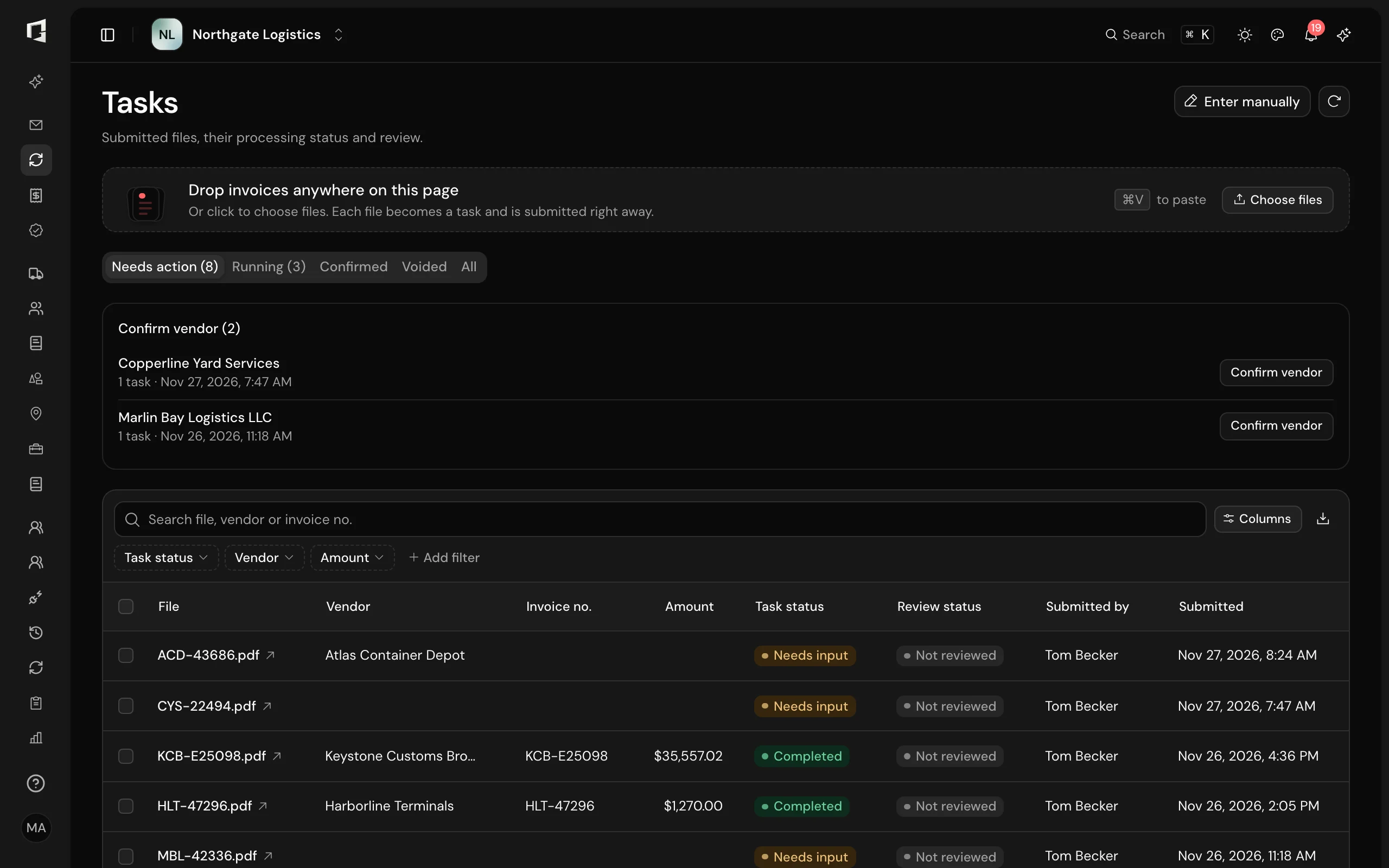
0:00A bill sits in Tasks, already read
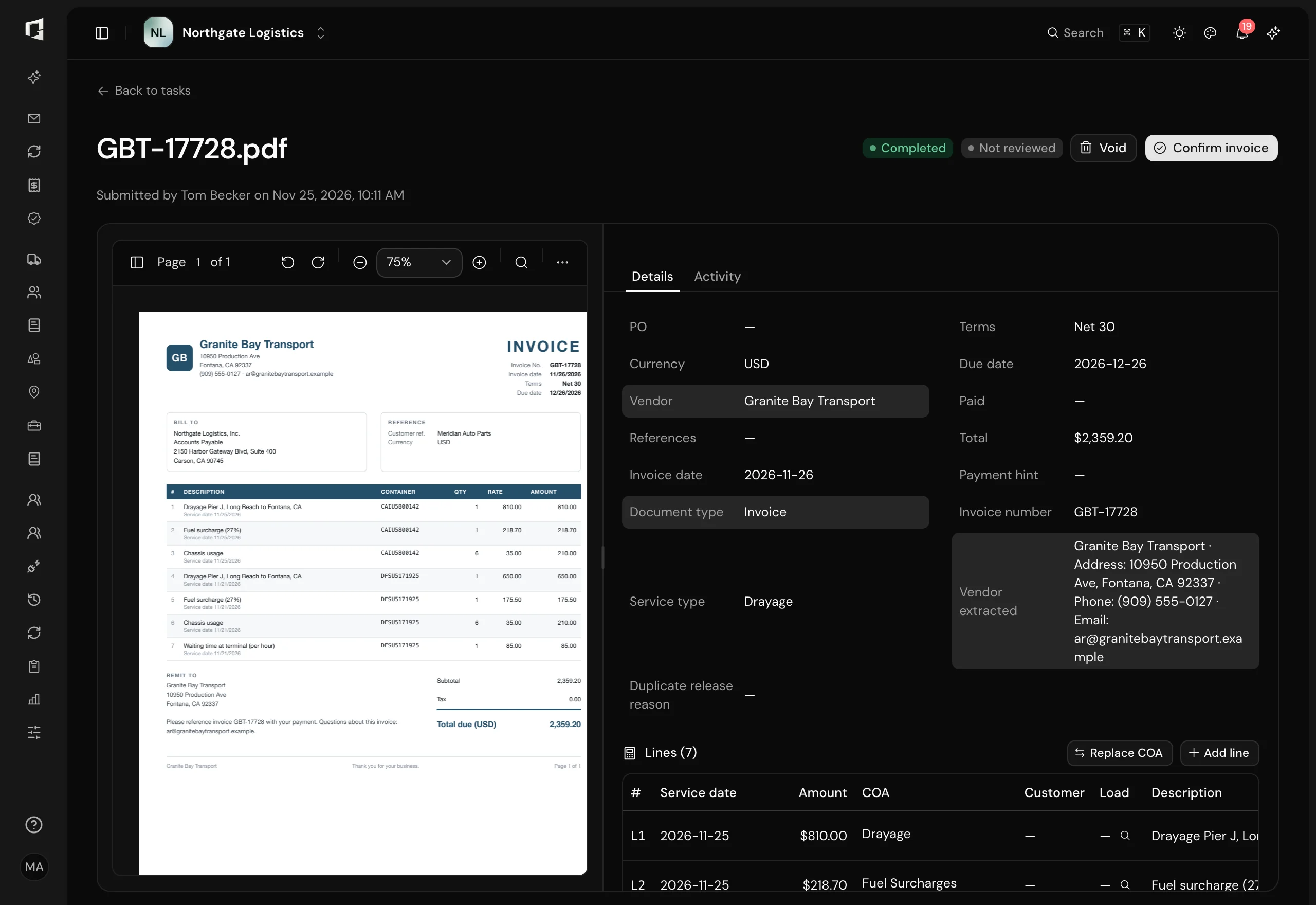
0:04Vendor, dates, totals and lines are filled in
0:08Confirm it and it becomes an invoice
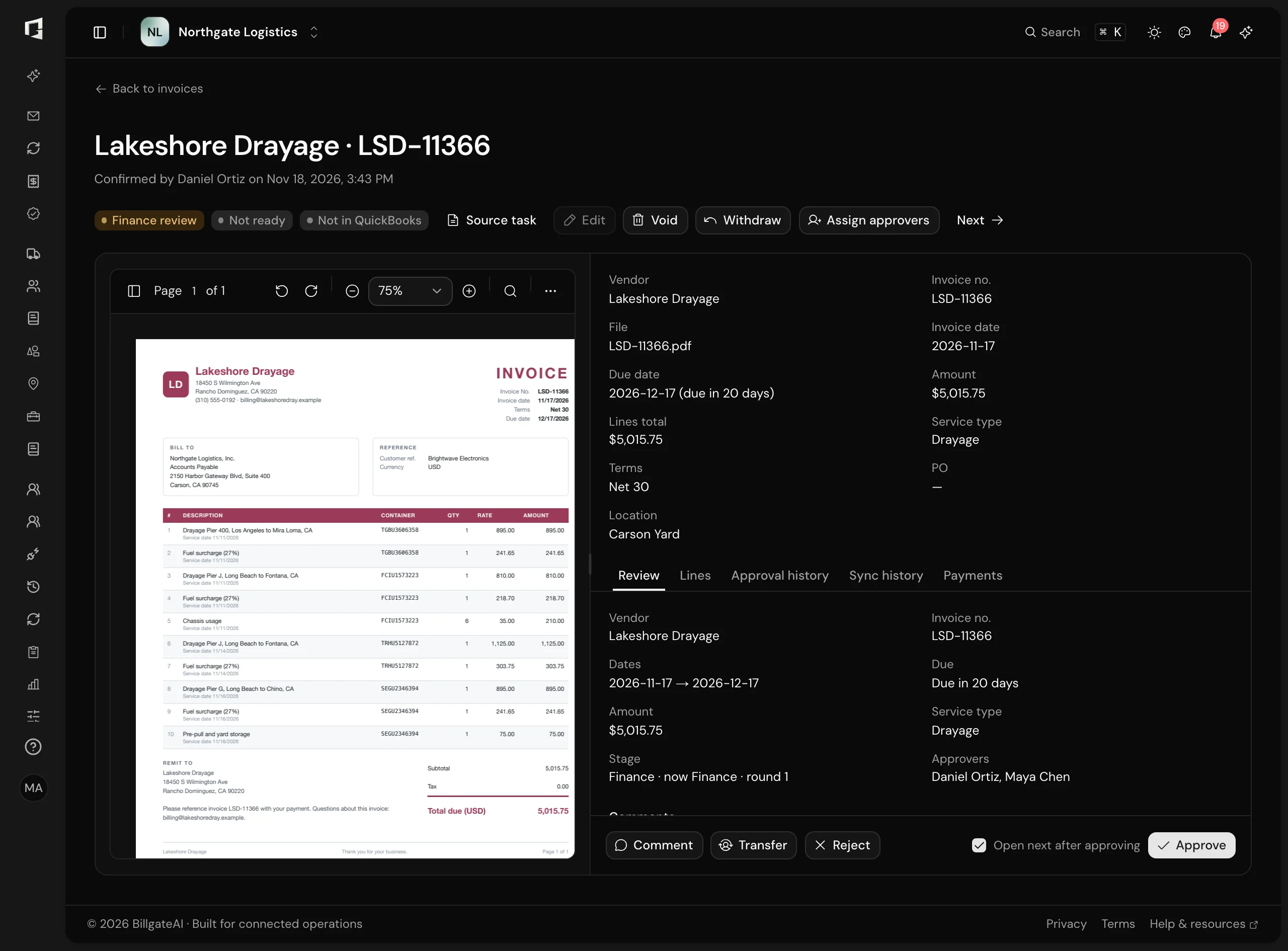
0:12It shows up for the approver
0:17Approved. The next one opens by itself
Workflow
One path from the vendor’s email to your ledger.
01/Capture
Bills arrive on their own
Forward vendor emails to your BillGate address, connect a Gmail or Microsoft 365 mailbox, or drop in PDFs and photos. Every document becomes a task your team can see.
A forwarding address for each company
Read-only mailbox connections
PDF, image and multi-invoice files
02/Review
Filled in before you open it
Vendor, invoice number, dates, line items and totals sit next to the original document. BillGate stops and asks only when something needs your call.
Original document beside every field
Lines coded to your chart of accounts
Duplicate invoice numbers caught
03/Approve
Approval that follows your rules
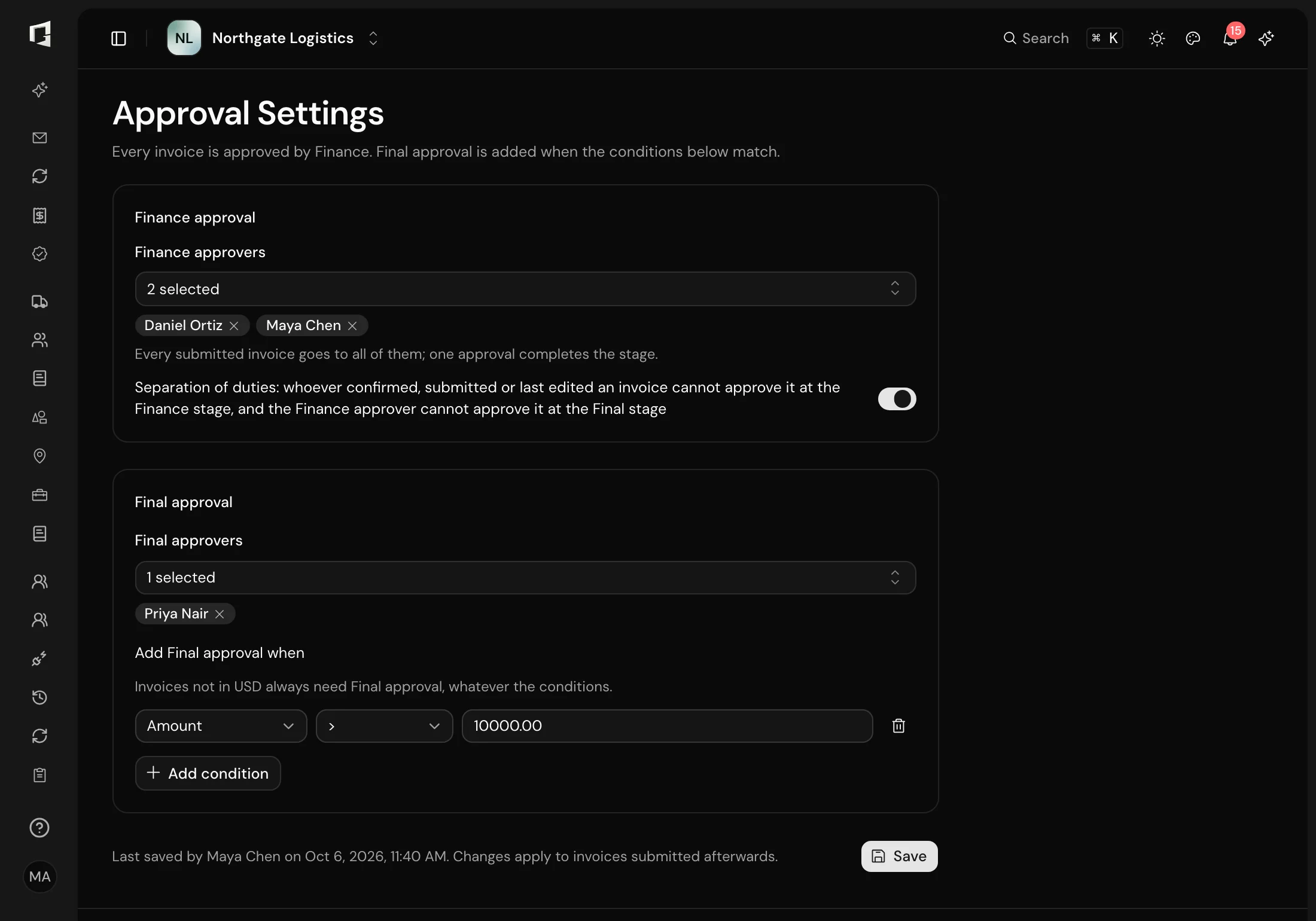
Finance signs off first. A Final approver steps in when your rules say so: by amount, by vendor, by service type. A rejection always carries a reason.
Finance, then Final when rules require it
Separation of duties built in
Bulk actions checked as a whole
04/Post
Straight into QuickBooks
Approved bills post to QuickBooks Online as Bills. When a payment is recorded there, it shows up on the invoice in BillGate, so nobody keeps a second list.
Vendors, customers and accounts stay in sync
Bills posted from the approved invoice
Payment status read back automatically
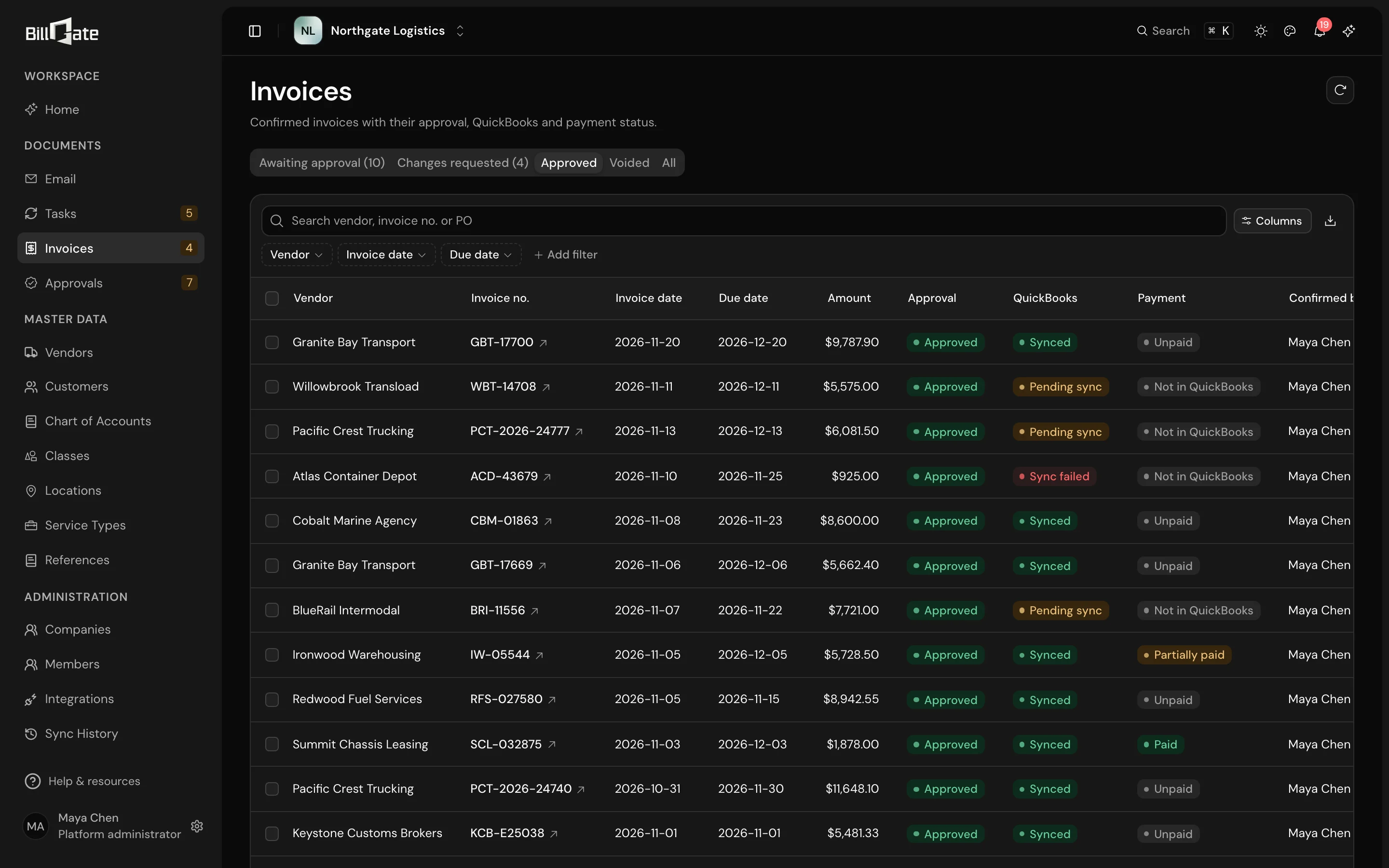
Statuses
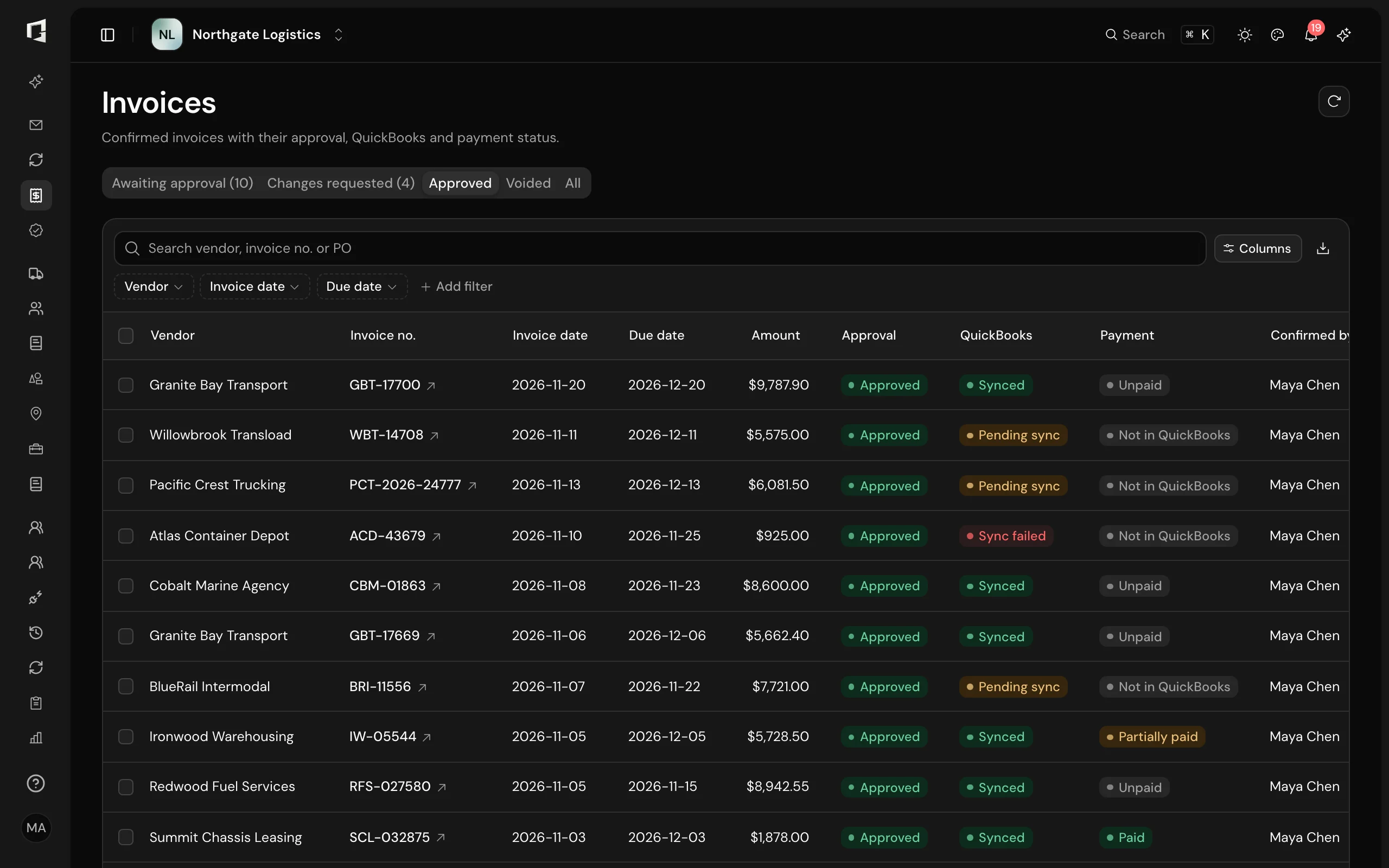
Approved is not posted. Posted is not paid.
Most tools squeeze a bill into one status and leave you guessing. BillGate tracks three, side by side, so a green tick never hides a bill that failed to sync.
Invoice
Vendor
Amount
Approval
QuickBooks
Payment
ACD-43683
Atlas Container Depot
$5,295.00
Changes requested
Not ready
Not in QuickBooks
KCB-E25058
Keystone Customs Brokers
$38,836.49
Final review
Not ready
Not in QuickBooks
ACD-43679
Atlas Container Depot
$925.00
Approved
Sync failed
Not in QuickBooks
GBT-17700
Granite Bay Transport
$9,787.90
Approved
Synced
Unpaid
IW-05544
Ironwood Warehousing
$5,728.50
Approved
Synced
Partially paid
SCL-032875
Summit Chassis Leasing
$1,878.00
Approved
Synced
Paid
Approval
Has the right person signed off?
Finance review
Final review
Approved
Changes requested
QuickBooks
Is it in the books?
Not ready
Pending sync
Synced
Sync failed, with the reason
Payment
Has the vendor been paid?
Not in QuickBooks
Unpaid
Partially paid
Paid
Assistant
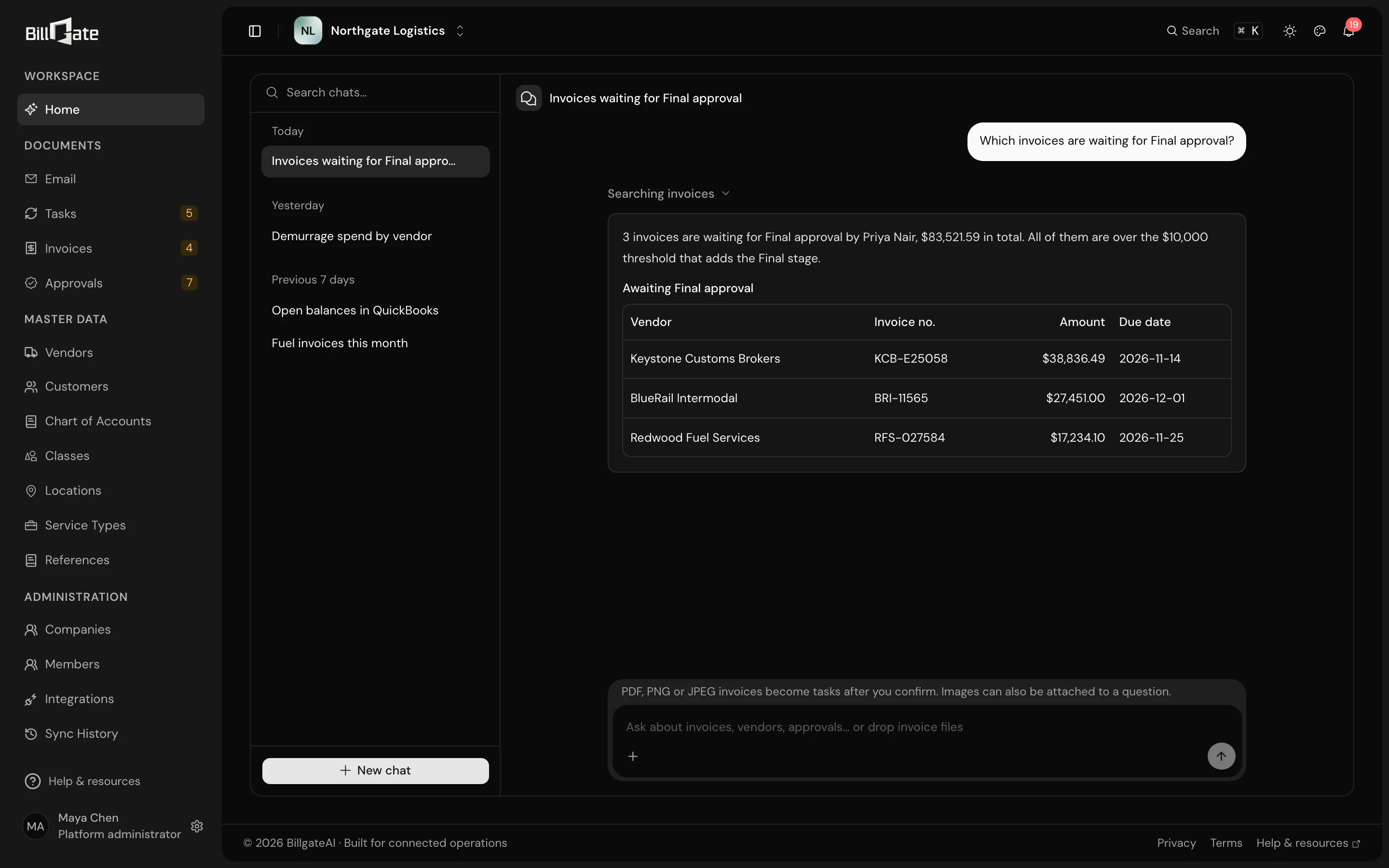
Ask your payables a question.
The home screen is a prompt. Ask in plain English and get the bills, not a report builder.
Which invoices are waiting for Final approval?
Demurrage spend by vendor
Open balances in QuickBooks
Fuel invoices this month
Integrations
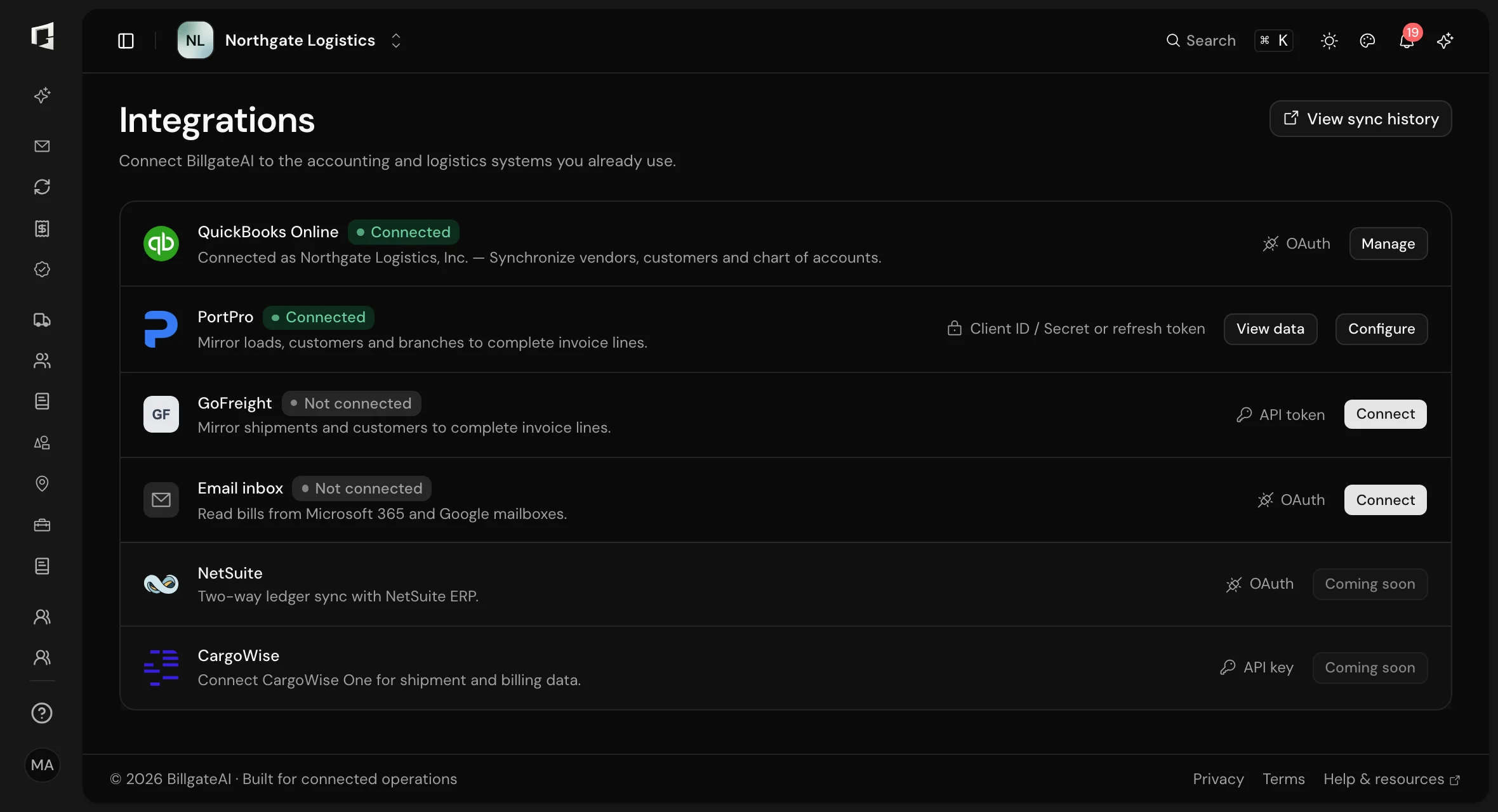
Sits between your inbox, your TMS and your books.
Connect once per company. BillGate shows the state of every connection and tells you when one stops.
QuickBooks Online
Accounting
Two-way sync for vendors, customers and the chart of accounts. Approved bills post as Bills; payments are read back.
PortPro
Drayage TMS
Connect your PortPro account so the loads behind a bill are on hand while you review.
GoFreight
Forwarding TMS
Connect GoFreight to bring shipments and customers alongside your payables.
Gmail
Mailbox
Read-only connection. BillGate picks up vendor bills and never sends, labels or deletes.
Microsoft 365
Mailbox
Read-only connection to the shared AP mailbox your vendors already write to.
Email forwarding
Intake
A dedicated address per company. Forward a bill, or set an auto-forward rule once.
Coming soon /NetSuite · CargoWise
Controls
Built the way a controller would build it.
The rules live in the product, not in a policy document nobody opens.
Email when it matters
A bill is waiting for your approval
A bill was sent back, with the reason
A QuickBooks sync failed
A connection stopped or is about to expire
Each company on its own
Vendors, accounts, approvers and bills belong to one company. Switching company switches everything.
Five clear roles
Admin, Finance, Final approver, Submitter and Read only. Permissions are enforced on the server, not just hidden in the menu.
Separation of duties
Stop the person who submitted a bill from approving it. One switch in Approval Settings.
A trail behind every bill
Who confirmed it, who approved it, when it posted and what came back. Deleted bills stay on the record.
Currencies never mix
USD and CAD are totalled separately everywhere. Amounts are stored to the cent, never rounded in flight.
Invitation only
People join by invitation from a company admin. Mailbox access is read-only, and integration tokens are stored encrypted.
FAQ
Straight answers.
Which accounting system does BillGate work with?
QuickBooks Online. Vendors, customers and the chart of accounts sync in both directions, approved bills are posted as Bills, and payments recorded in QuickBooks are read back onto the invoice.
Does BillGate pay my vendors?
No. You keep paying from QuickBooks or your bank as you do today. BillGate shows whether each bill is unpaid, partially paid or paid, so approvers and AP see the same picture.
How do bills get in?
Three ways: upload files, forward emails to the address BillGate gives each company, or connect a Gmail or Microsoft 365 mailbox. Mailbox connections are read-only.
What happens when BillGate is not sure about something?
It tells you. The field is flagged on the task and the bill waits for a person. Nothing becomes an invoice until someone on your team confirms it.
We run more than one company. Does that work?
Yes. Each company has its own vendors, accounts, approvers and QuickBooks connection, and people only see the companies they were invited to. USD and CAD totals are never combined.
Can we decide who approves what?
Yes. Every bill goes to Finance. You choose when a Final approver is also required: above an amount, for certain vendors, or for certain service types.
Does it connect to our TMS?
BillGate connects to PortPro and GoFreight today. If you run something else, tell us on the demo call.
How do we get started?
Book a demo. Setup is a short checklist: connect QuickBooks, bring in vendors and accounts, choose your approvers, and send in your first bill.
Open the gate on your payables.
Bring a week of real vendor bills to the demo. We will run them through BillGate while you watch.