
Accounts payable for freight & logistics
Stop retyping
vendor bills.
BillGate reads every bill your vendors send, codes it, gets it approved and posts it to QuickBooks. Your team checks the work instead of doing it.
3ways in
Upload, forward an email, or connect the AP mailbox.
2approval stages
Finance first. Final when your rules require it.
3statuses per bill
Approval, QuickBooks and payment, never blended.
1record
Who confirmed, approved and posted. Kept for every bill.
How a bill moves
From the vendor’s email to your ledger.
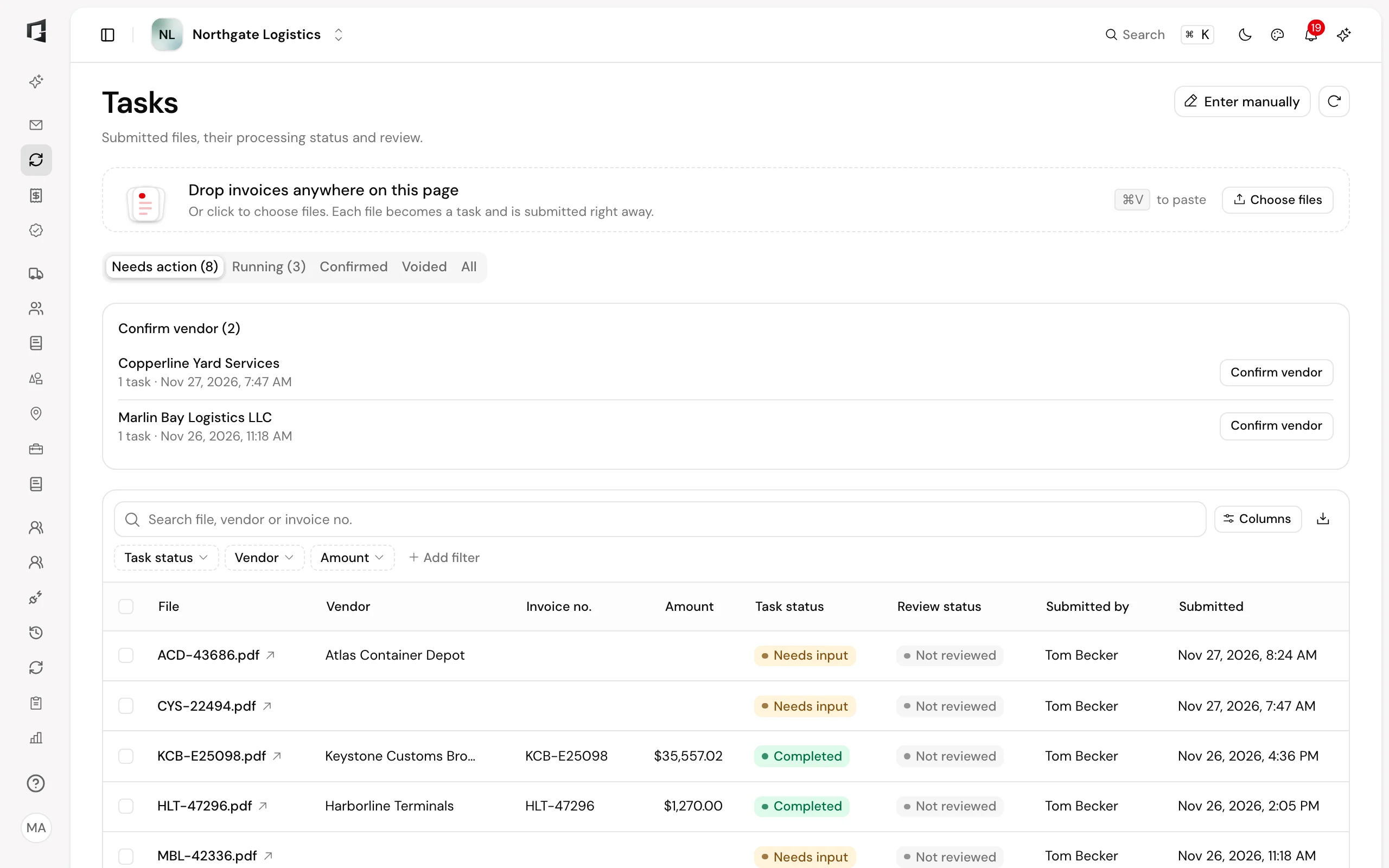
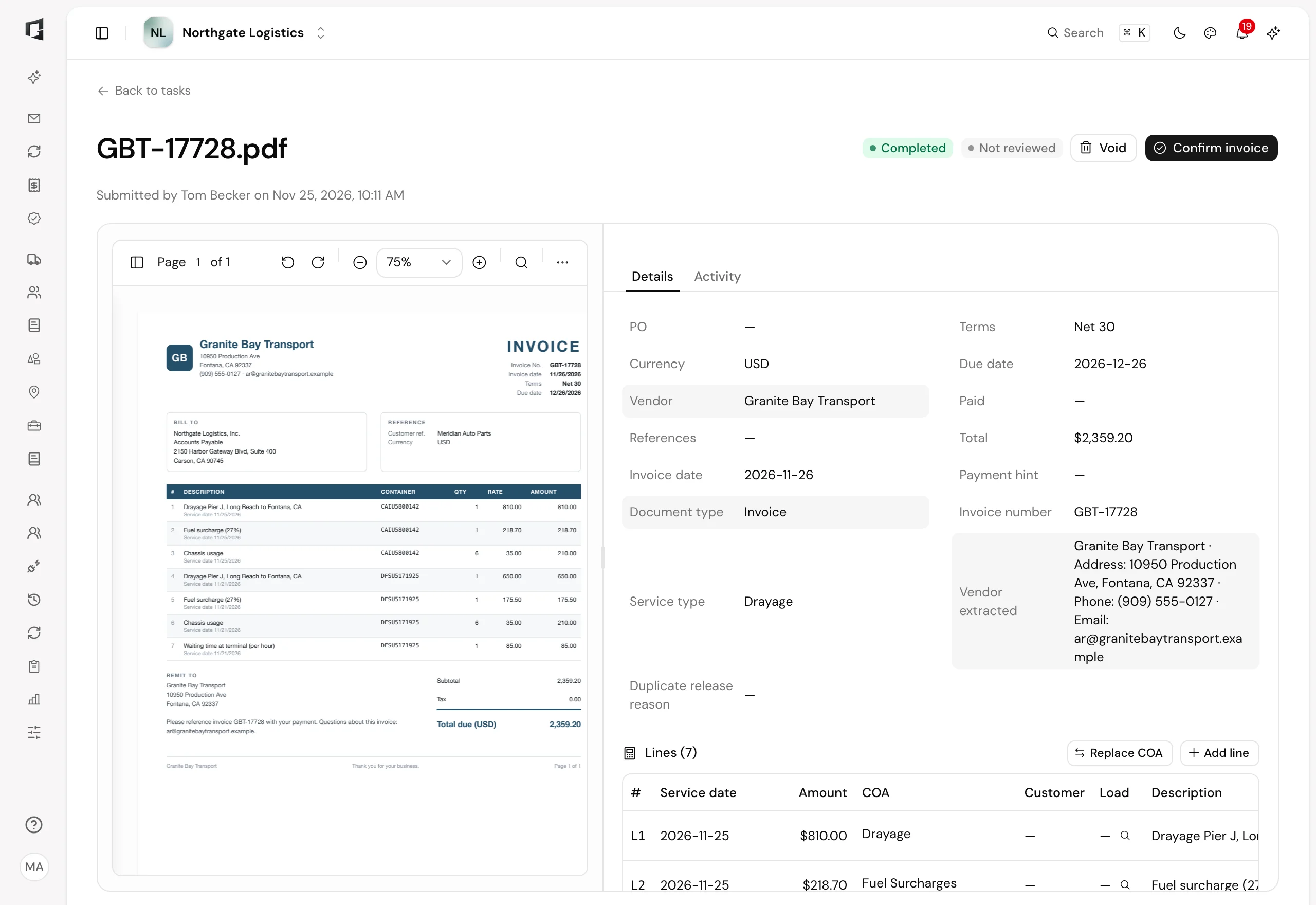
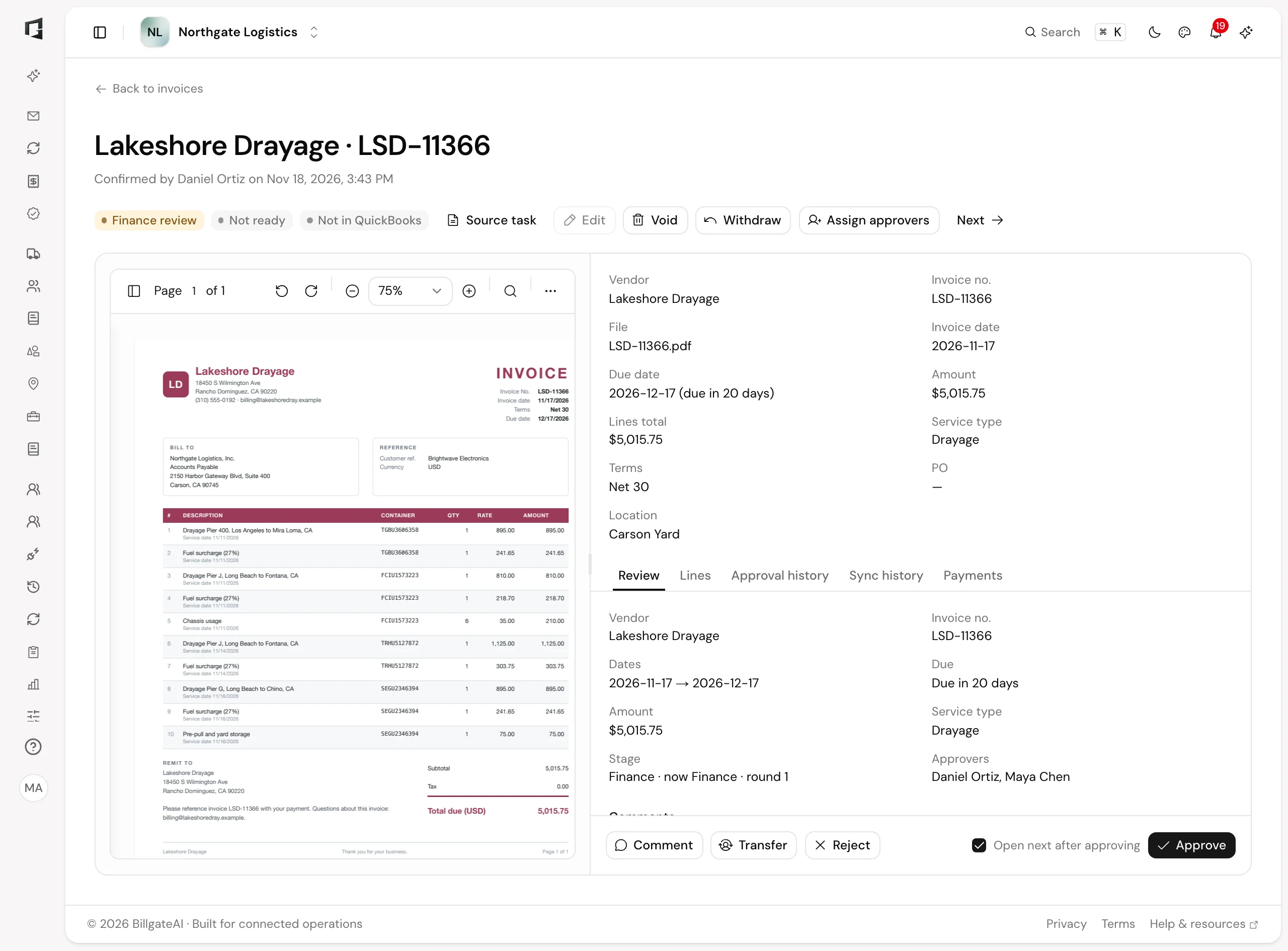
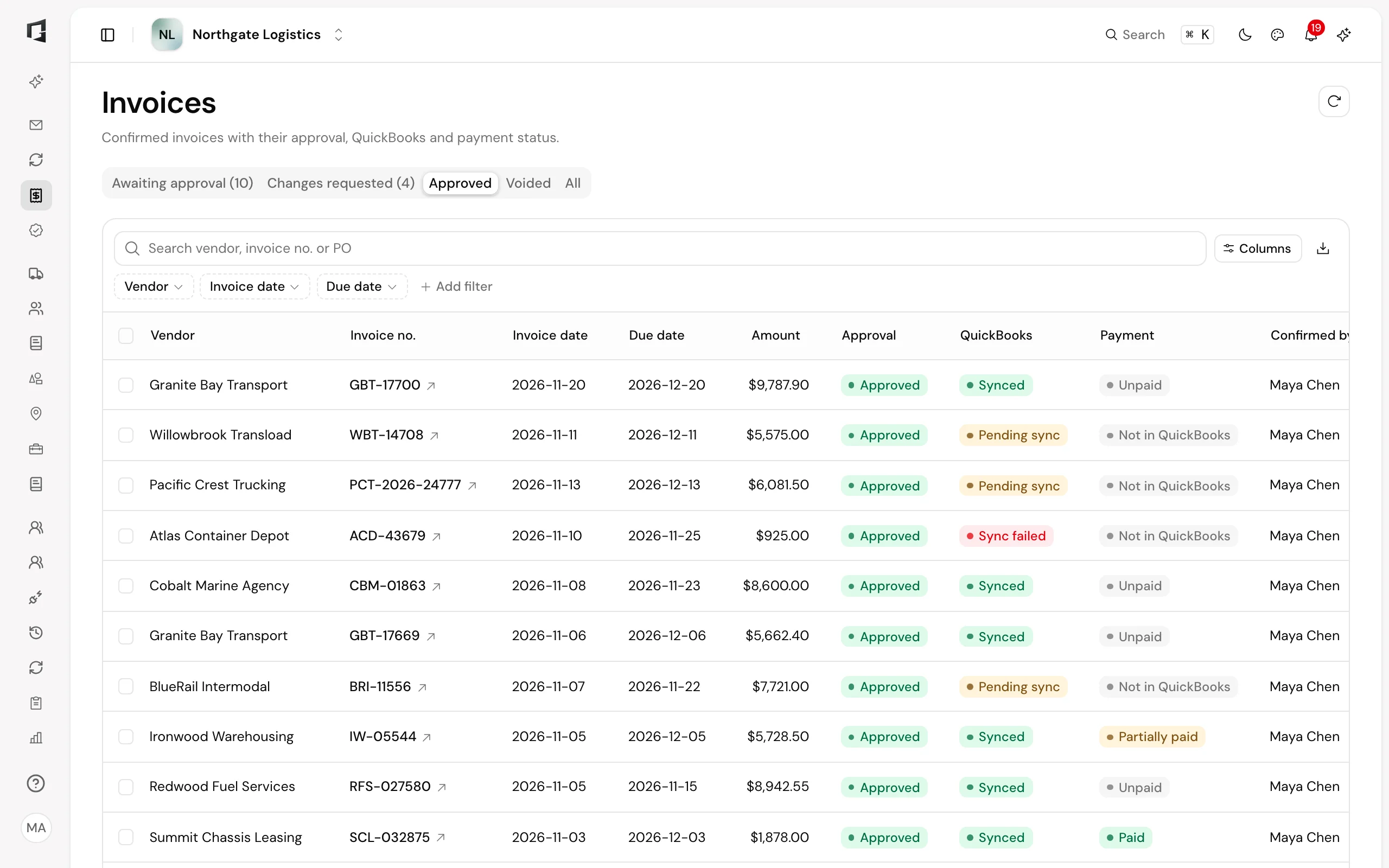
What your team stops doing
Less chasing. Less keying. Fewer surprises.
Chasing approvals in email threads
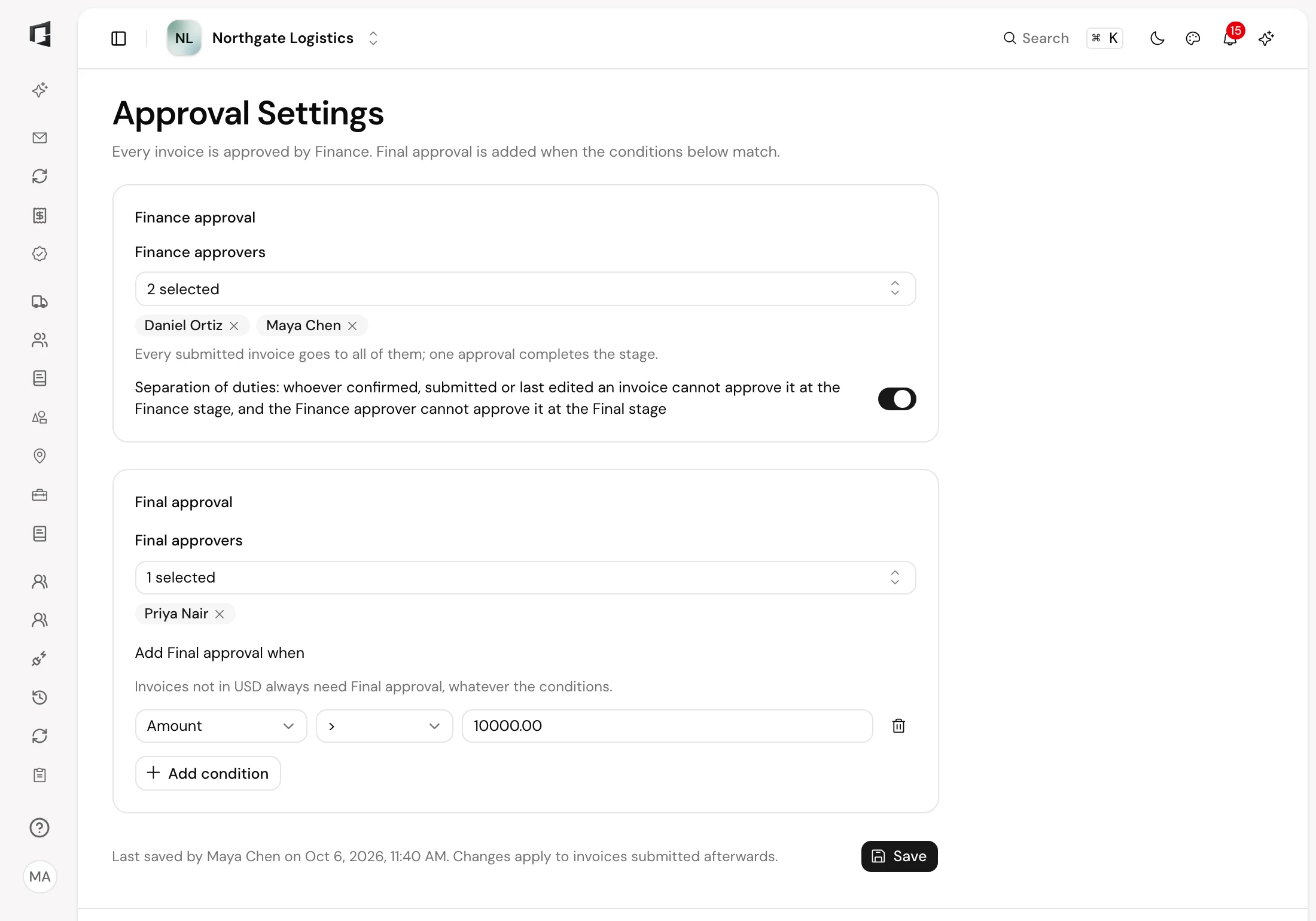
Set the rule once. BillGate sends each bill to the right approver and shows everyone where it stands.
Require Final approval when
Downloading attachments from the AP inbox
Vendors keep emailing where they always have. BillGate picks the bills up.
Keying bills into QuickBooks twice
Mixing up entities and currencies
Separate vendors, accounts, approvers and QuickBooks file for each. Totals never cross currencies.
Finding out late
- A bill is waiting for your approval
- A bill was sent back, with the reason
- A QuickBooks sync failed
- A connection stopped or is about to expire
Three statuses, not one
Approved ≠ posted ≠ paid.
One status per bill hides the bills that need you most: approved but never synced, synced but still unpaid. BillGate keeps the three apart on every row.
| Invoice | Vendor | Amount | Approval | QuickBooks | Payment |
|---|---|---|---|---|---|
| ACD-43683 | Atlas Container Depot | $5,295.00 | Changes requested | Not ready | Not in QuickBooks |
| KCB-E25058 | Keystone Customs Brokers | $38,836.49 | Final review | Not ready | Not in QuickBooks |
| ACD-43679 | Atlas Container Depot | $925.00 | Approved | Sync failed | Not in QuickBooks |
| GBT-17700 | Granite Bay Transport | $9,787.90 | Approved | Synced | Unpaid |
| IW-05544 | Ironwood Warehousing | $5,728.50 | Approved | Synced | Partially paid |
| SCL-032875 | Summit Chassis Leasing | $1,878.00 | Approved | Synced | Paid |
Approval
Has the right person signed off?
Finance review · Final review · Approved · Changes requested
QuickBooks
Is it in the books?
Not ready · Pending sync · Synced · Sync failed, with the reason
Payment
Has the vendor been paid?
Not in QuickBooks · Unpaid · Partially paid · Paid
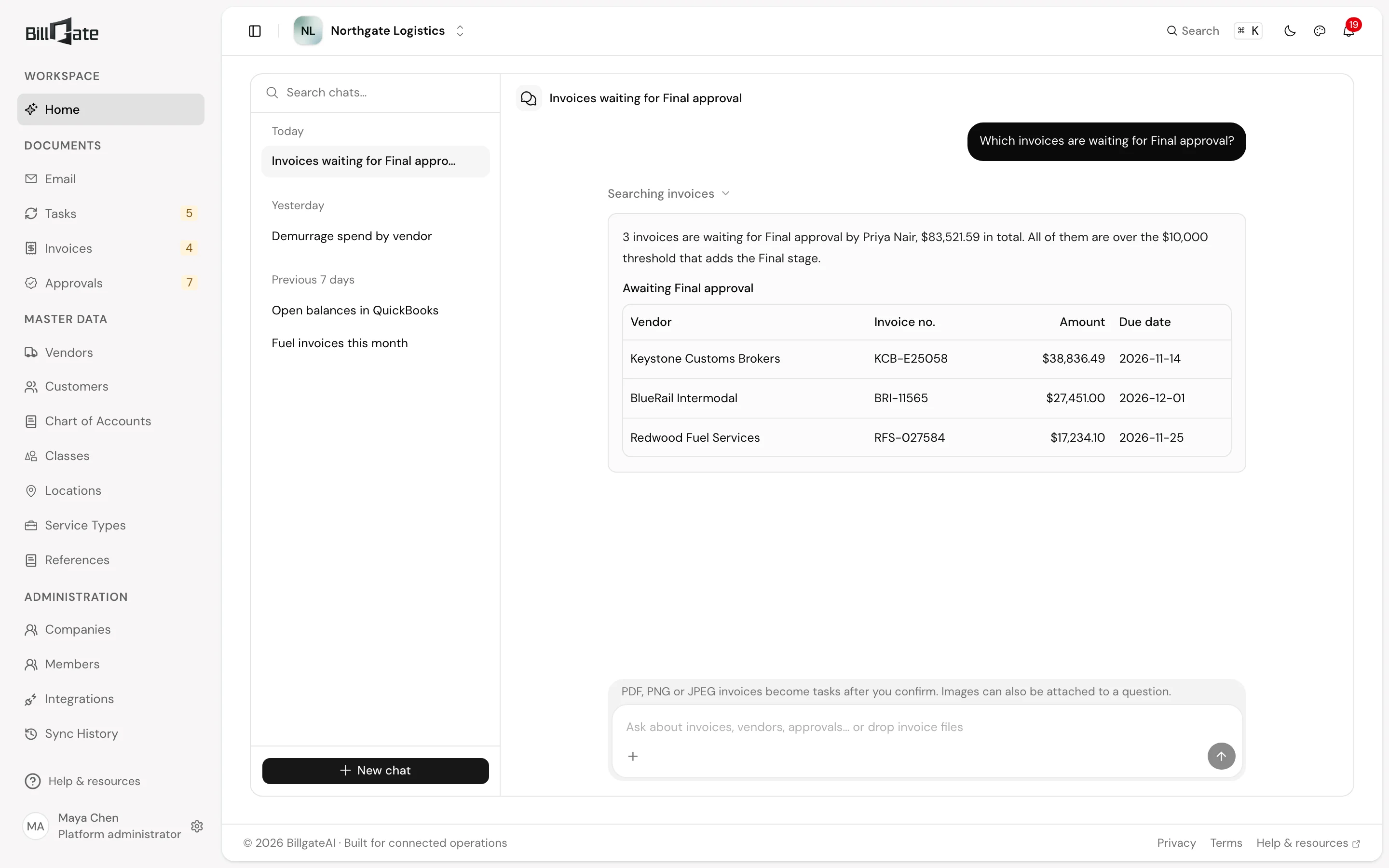
Assistant
Ask. Don’t build a report.
Type the question the way you would ask a colleague. BillGate answers with the bills themselves.
- Which invoices are waiting for Final approval?
- Demurrage spend by vendor
- Open balances in QuickBooks
- Fuel invoices this month
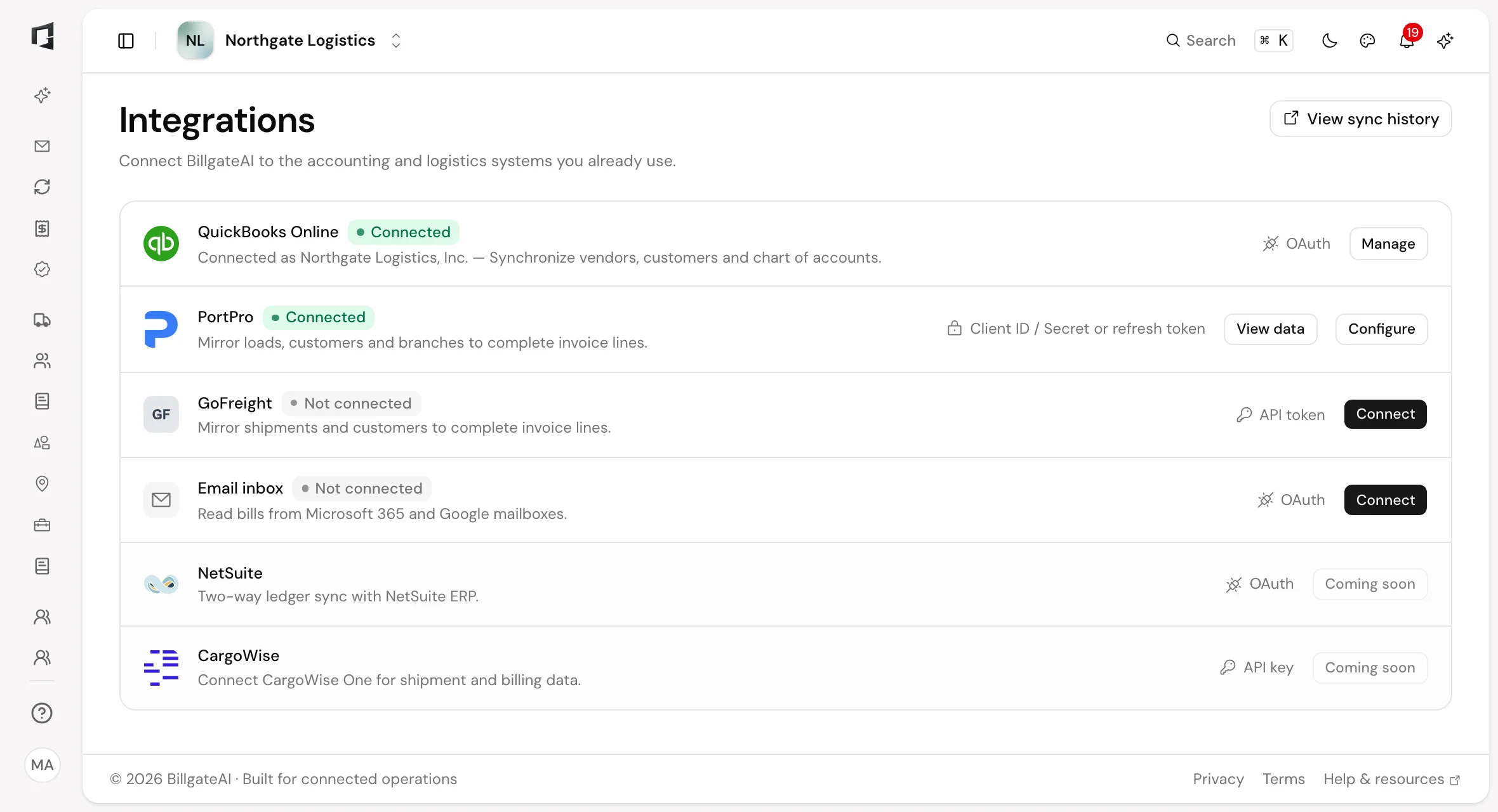
Integrations
Plugs into what you already run.
Accounting
QuickBooks Online
Two-way sync for vendors, customers and the chart of accounts. Approved bills post as Bills; payments are read back.
Drayage TMS
PortPro
Connect your PortPro account so the loads behind a bill are on hand while you review.
Forwarding TMS
GoFreight
Connect GoFreight to bring shipments and customers alongside your payables.
Mailbox
Gmail
Read-only connection. BillGate picks up vendor bills and never sends, labels or deletes.
Mailbox
Microsoft 365
Read-only connection to the shared AP mailbox your vendors already write to.
Intake
Email forwarding
A dedicated address per company. Forward a bill, or set an auto-forward rule once.
One page shows what is connected.
And BillGate emails you the moment a connection stops, before bills pile up.
Coming soon
NetSuite · CargoWise
For the controller
Rules that hold when you are not looking.
Each company on its own
Vendors, accounts, approvers and bills belong to one company. Switching company switches everything.
Five clear roles
Admin, Finance, Final approver, Submitter and Read only. Permissions are enforced on the server, not just hidden in the menu.
Separation of duties
Stop the person who submitted a bill from approving it. One switch in Approval Settings.
A trail behind every bill
Who confirmed it, who approved it, when it posted and what came back. Deleted bills stay on the record.
Currencies never mix
USD and CAD are totalled separately everywhere. Amounts are stored to the cent, never rounded in flight.
Invitation only
People join by invitation from a company admin. Mailbox access is read-only, and integration tokens are stored encrypted.
Questions, answered plainly.
Which accounting system does BillGate work with?
QuickBooks Online. Vendors, customers and the chart of accounts sync in both directions, approved bills are posted as Bills, and payments recorded in QuickBooks are read back onto the invoice.
Does BillGate pay my vendors?
No. You keep paying from QuickBooks or your bank as you do today. BillGate shows whether each bill is unpaid, partially paid or paid, so approvers and AP see the same picture.
How do bills get in?
Three ways: upload files, forward emails to the address BillGate gives each company, or connect a Gmail or Microsoft 365 mailbox. Mailbox connections are read-only.
What happens when BillGate is not sure about something?
It tells you. The field is flagged on the task and the bill waits for a person. Nothing becomes an invoice until someone on your team confirms it.
We run more than one company. Does that work?
Yes. Each company has its own vendors, accounts, approvers and QuickBooks connection, and people only see the companies they were invited to. USD and CAD totals are never combined.
Can we decide who approves what?
Yes. Every bill goes to Finance. You choose when a Final approver is also required: above an amount, for certain vendors, or for certain service types.
Does it connect to our TMS?
BillGate connects to PortPro and GoFreight today. If you run something else, tell us on the demo call.
How do we get started?
Book a demo. Setup is a short checklist: connect QuickBooks, bring in vendors and accounts, choose your approvers, and send in your first bill.

Bring a week of bills.
We will run your real vendor bills through BillGate on the demo call, so you see your work, not ours.